
TeacherPalette
Circle a detail on a slide, spotlight the next step in a live demo, then open a whiteboard when an idea needs more room.
Inside the app
Draw over the app you’re presenting
Write, highlight, or add arrows while your audience keeps the original screen in view.
Bring a small detail into focus
Use the magnifier to enlarge a control or the spotlight to guide viewers as you move across a busy screen.
Keep the explanation
Work through an idea across whiteboard pages, annotate a PDF, and export the result to share after class.
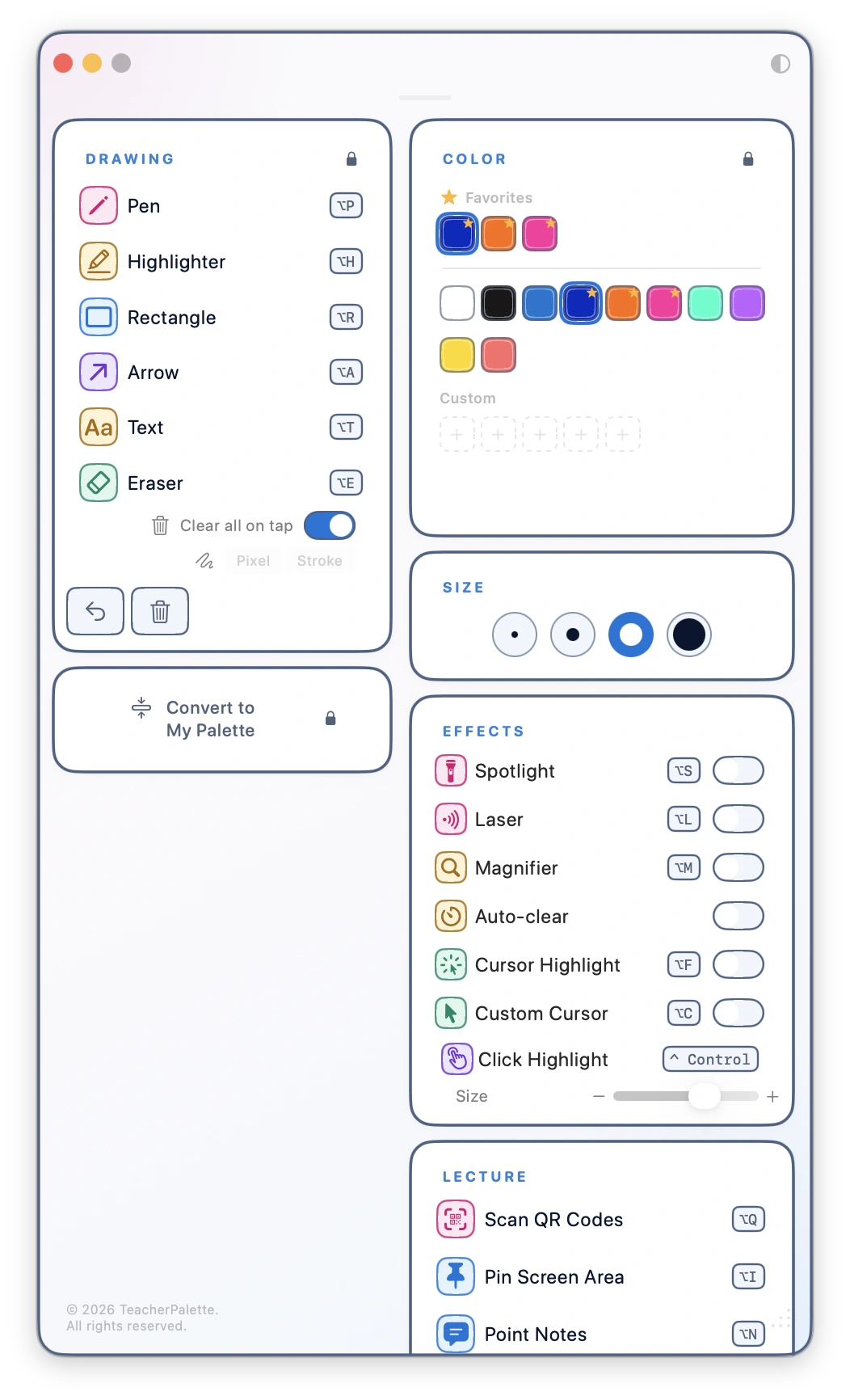
The palette
At your fingertips.
- Drawing, color & size
- Pick a pen, highlighter, shape, or text tool, then choose a favorite color and stroke width.
- Effects
- Toggle Spotlight, Laser, or Magnifier as you present. Use cursor and click highlights to guide the audience through a demo.
- Lecture
- Scan QR codes, pin part of the screen, or attach a point note while you explain.
Present a sketch
Draw a diagram with your trackpad in FingerPad, then use TeacherPalette to highlight each part as you explain it.